






Although tickets to our events are non-refundable, we know that life sometimes gets in the way! To help recoup some of the cost, we have setup our Eventbrite account to partner with Tixel!
Tixel is a secure, fair-priced ticket resale provider that has had a lot of success in Australia and now has been implemented to help re-sale tickets safely all over the world.
If you have purchased a ticket through Eventbrite to FanGrrrl 2026, you are able to follow the below instructions to resell your ticket on Tixel if your ticket tier is sold-out, or it is 30 days prior to the event (whichever comes first).
Please note: Tixel does charge a 5.9% service fee on the total selling price (original ticket price plus Eventbrite Fees), with a minimum fee of $4.50 USD.
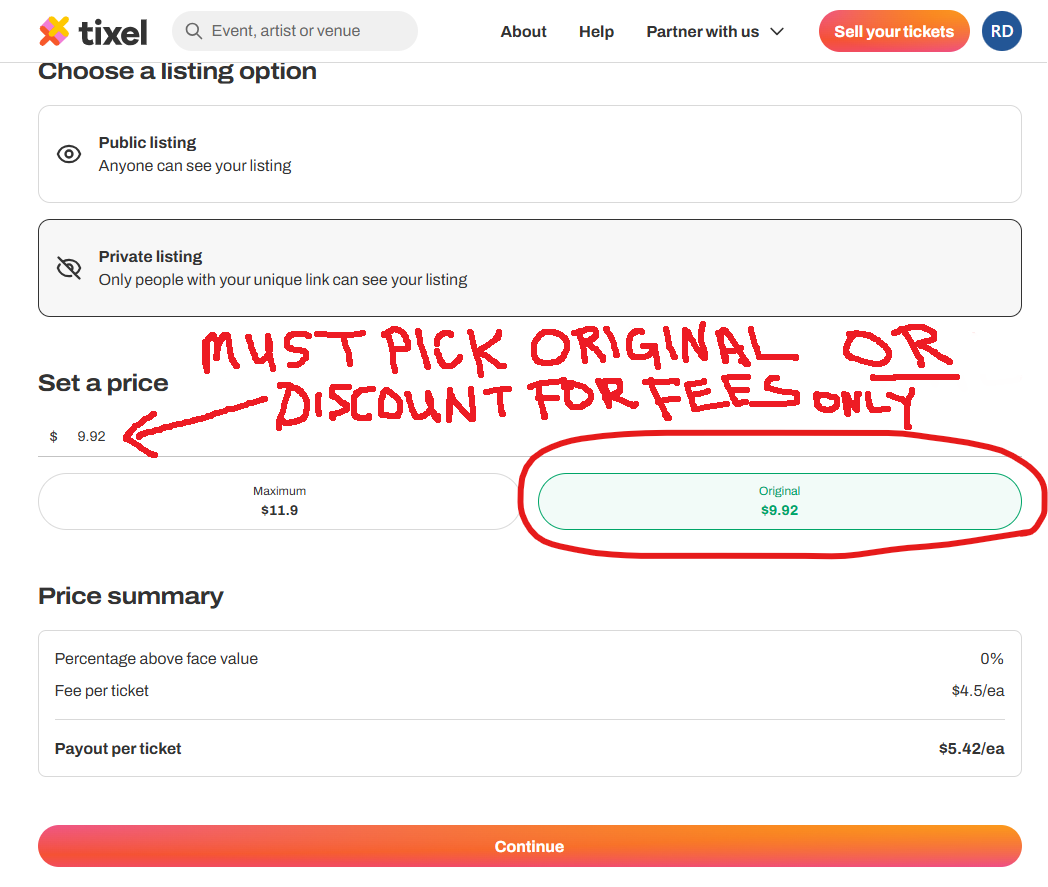
*** You MUST SELECT THE ORIGINAL price of the ticket from Eventbrite (this is the ticket price plus Eventbrite Fees) OR enter a price that is LESS than the Eventbrite Ticket Price you paid, if you would like to discount for the Tixel Ticket reissue fee and the Tixel Payment Processing Fee for the Buyer. We DO NOT allow price increases. If a potential Buyer (or FanGrrrl Romance Recs) finds that you have increased the price, we will ban you from future events, as well as remove you from our FB Book Event Group. We take this very seriously! ***
・。.・゜✭・.・✫・゜・。.・・。.・゜✭・.・✫・゜・。.・
TO LIST YOUR ATTENDEE TICKET ON TIXEL
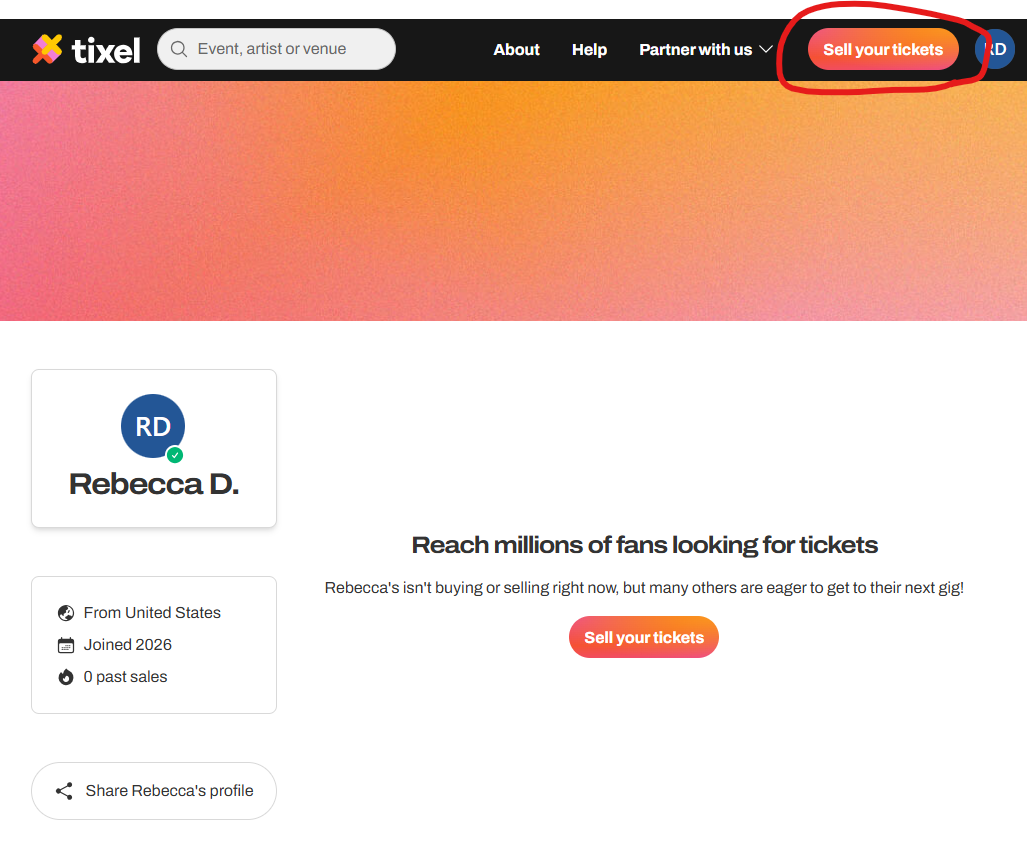
1) Navigate to Tixel and select “Sell Your Tickets”
・。.・゜✭・.・✫・゜・。.・・。.・゜✭・.・✫・゜・。.・
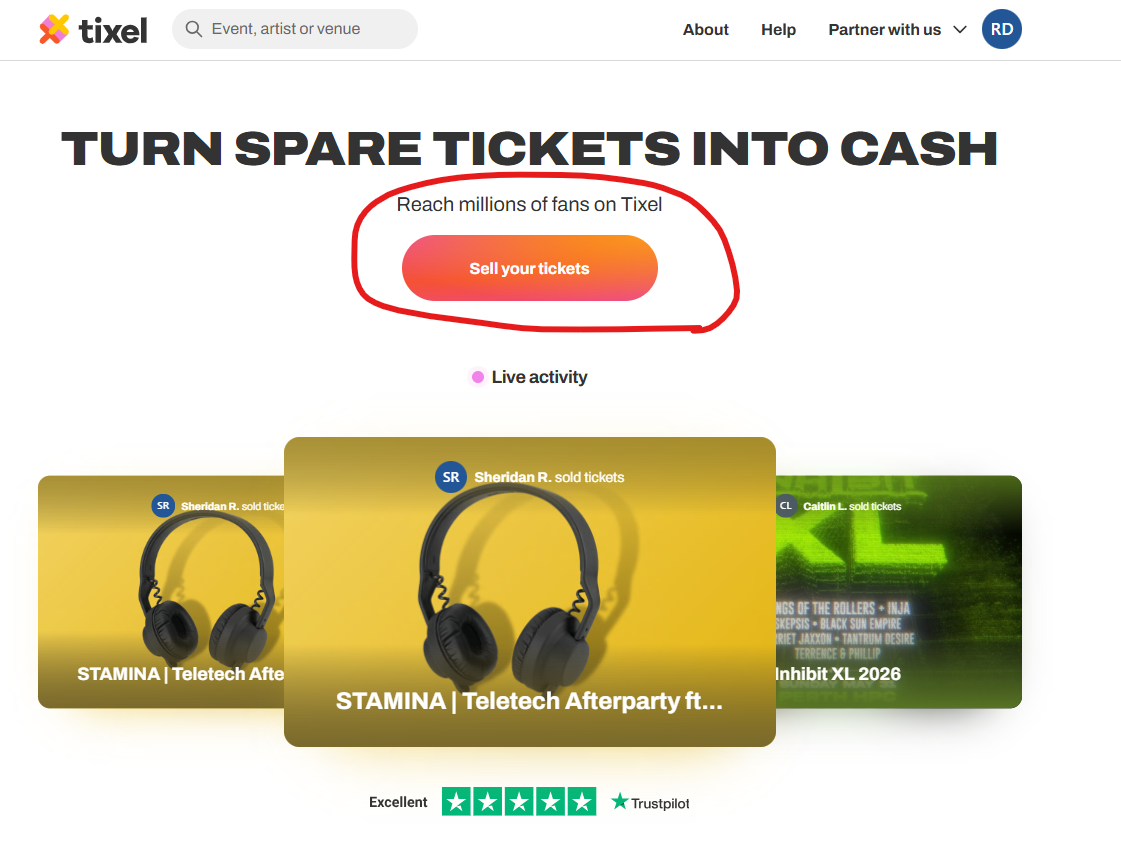
2) You may need to select “Sell Your Tickets” again
・。.・゜✭・.・✫・゜・。.・・。.・゜✭・.・✫・゜・。.・
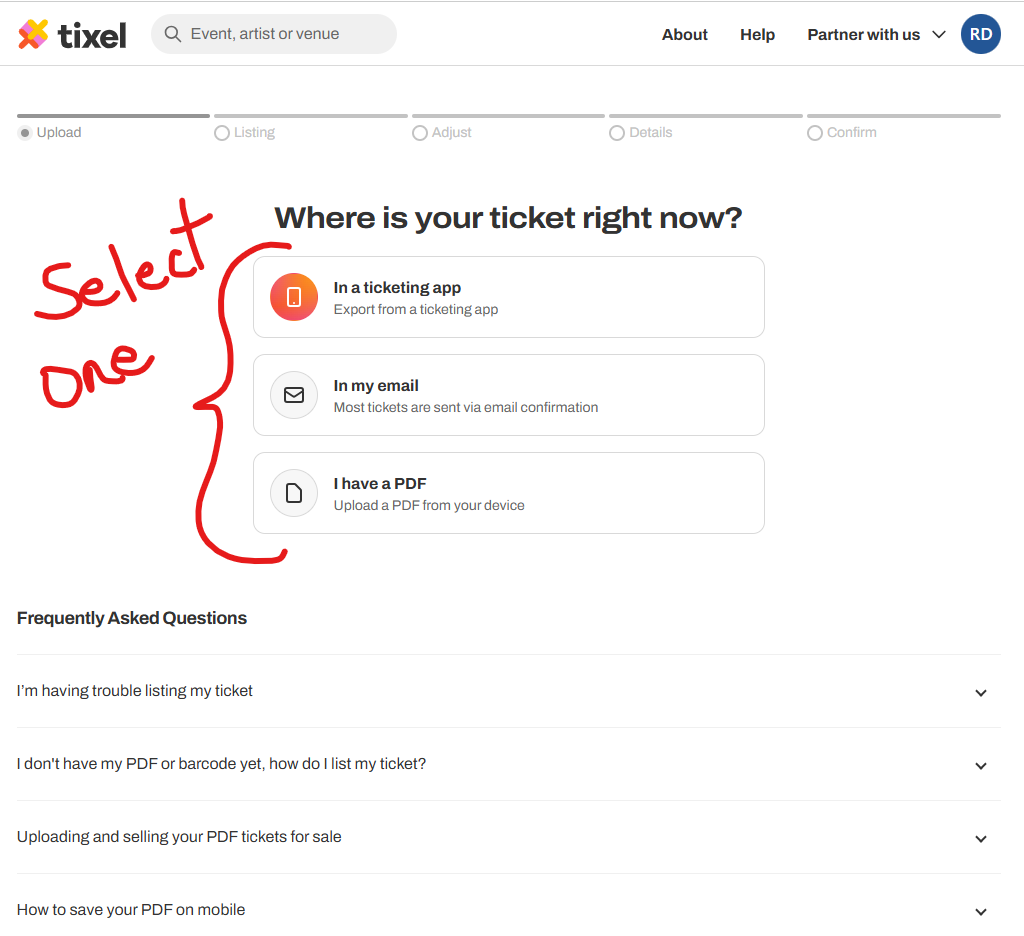
3) Select a way to upload your Eventbrite ticket, so Tixel can verify you are a valid ticket holder (this prevents scamming)
・。.・゜✭・.・✫・゜・。.・・。.・゜✭・.・✫・゜・。.・
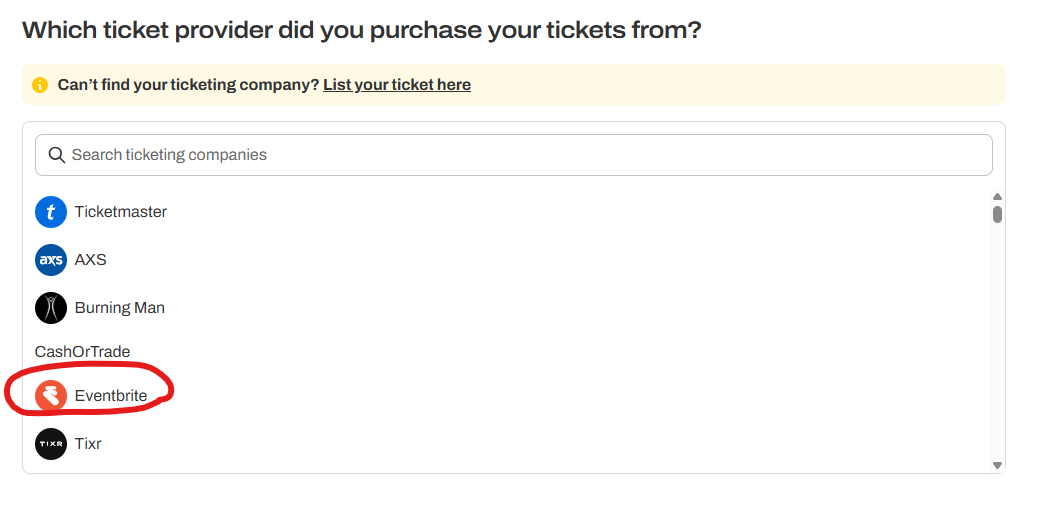
4) If you select “In a ticketing app“, Tixel will ask you to login to your Eventbrite Account
・。.・゜✭・.・✫・゜・。.・・。.・゜✭・.・✫・゜・。.・
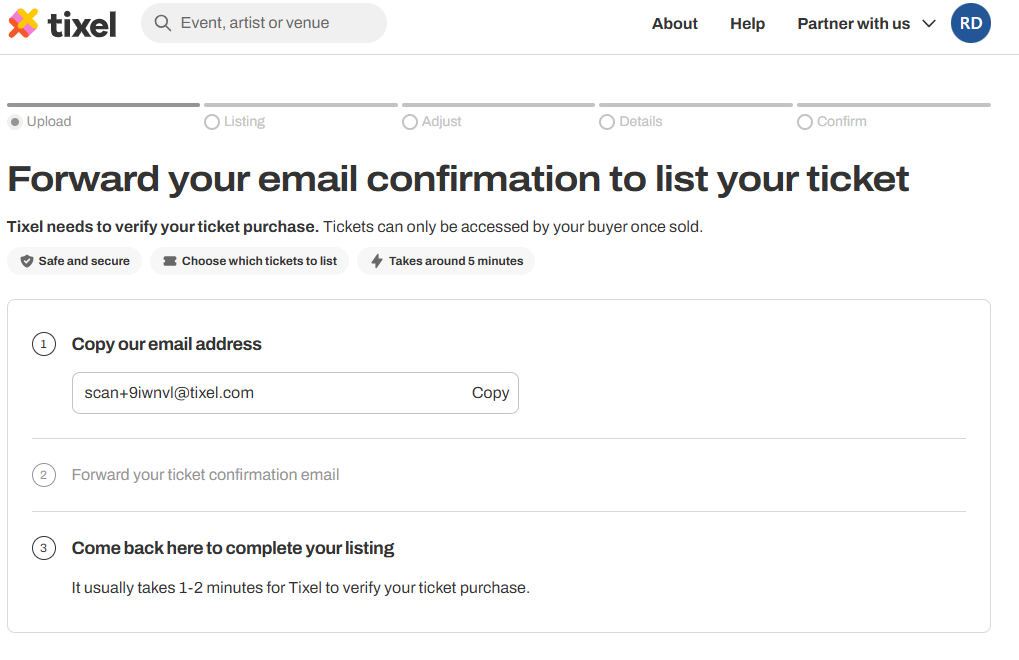
5) Or if you select “In my email“, Tixel will ask you to forward the Eventbrite confirmation email to their specific email address.
*** However, since Eventbrite has been setup to work directly with Tixel, Tixel will ask you to use the “In a ticketing app” option if you select this option. ***
・。.・゜✭・.・✫・゜・。.・・。.・゜✭・.・✫・゜・。.・
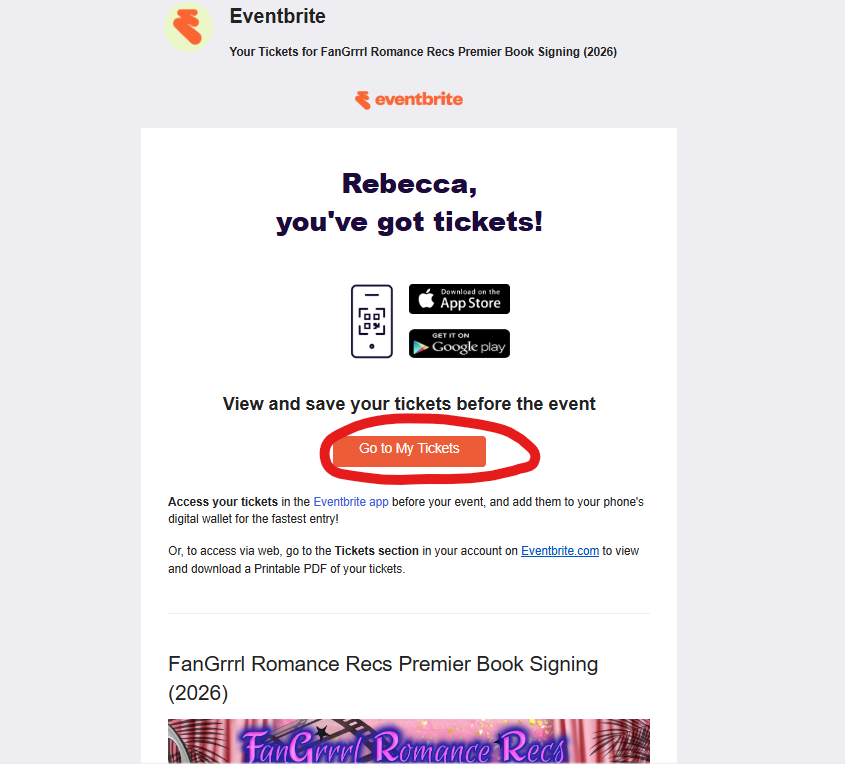
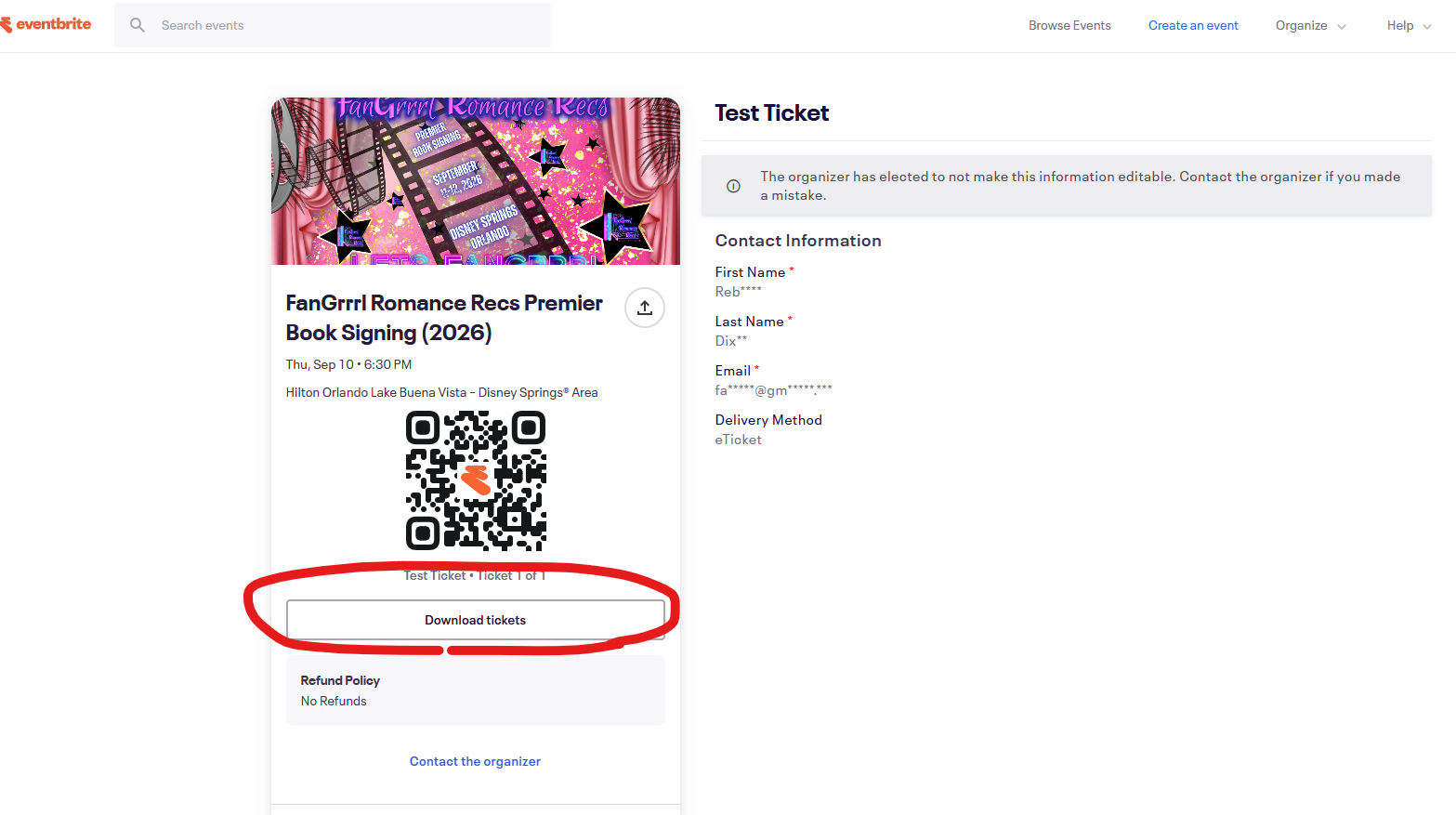
6) Or if you select “I have a PDF“, you will need to download your Eventbrite Tickets from your email and upload.

・。.・゜✭・.・✫・゜・。.・・。.・゜✭・.・✫・゜・。.・
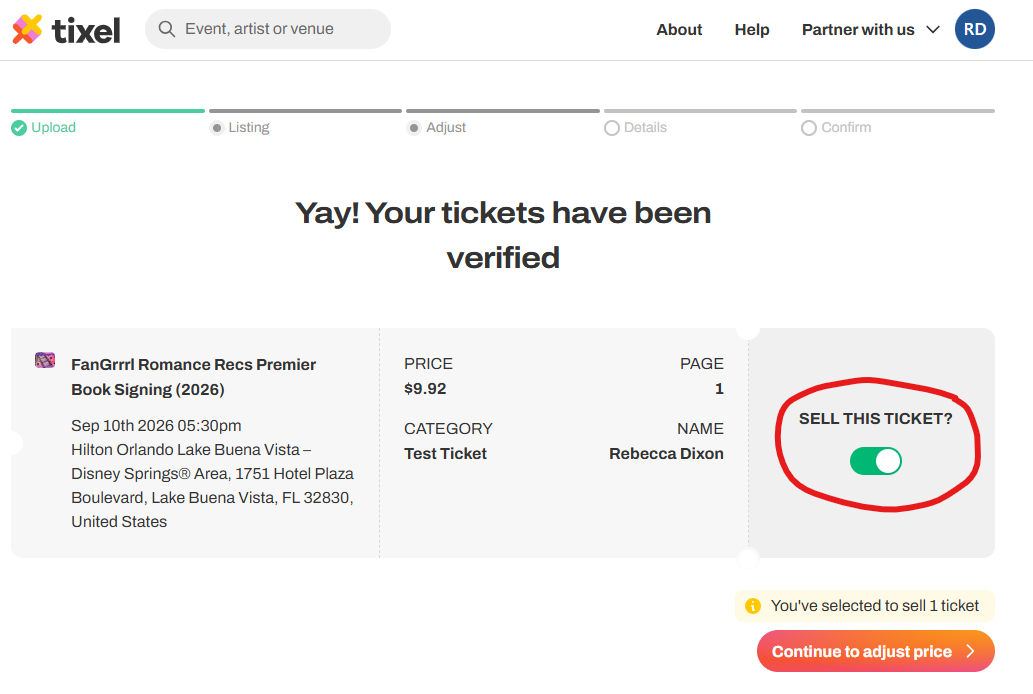
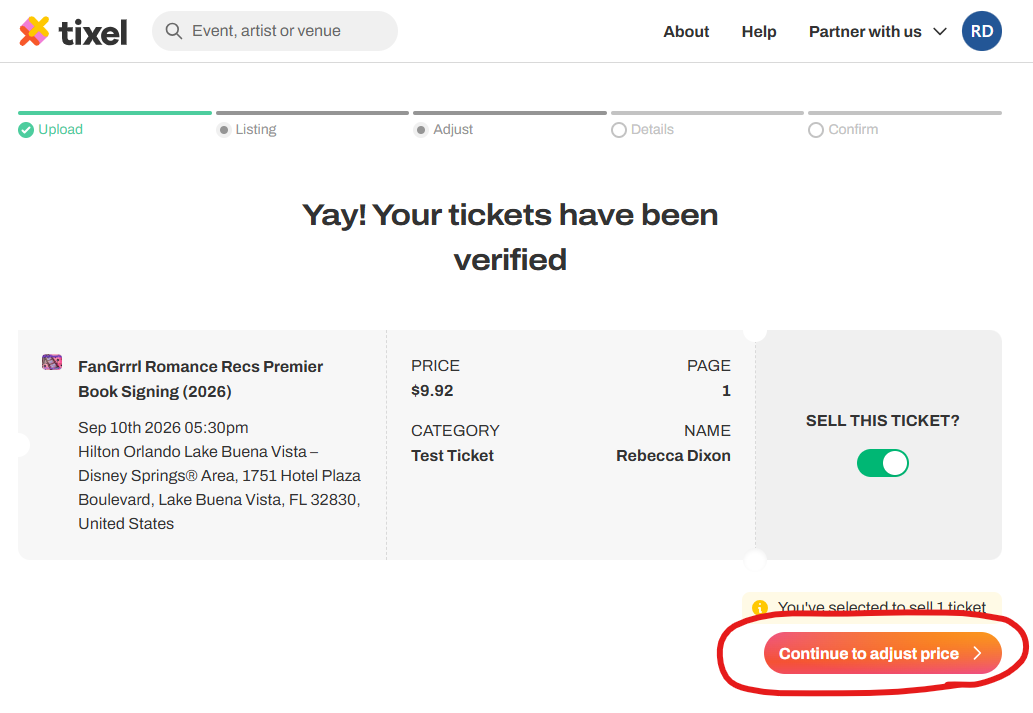
7) After completing one of the three options to upload your Eventbrite ticket (“In a ticketing app”, “In my email”, or “I have a PDF”), you then need to toggle on “SELL THIS TICKET?” next to the ticket you would like to sell.
・。.・゜✭・.・✫・゜・。.・・。.・゜✭・.・✫・゜・。.・
8) Select “Continue to adjust price” to continue.
・。.・゜✭・.・✫・゜・。.・・。.・゜✭・.・✫・゜・。.・
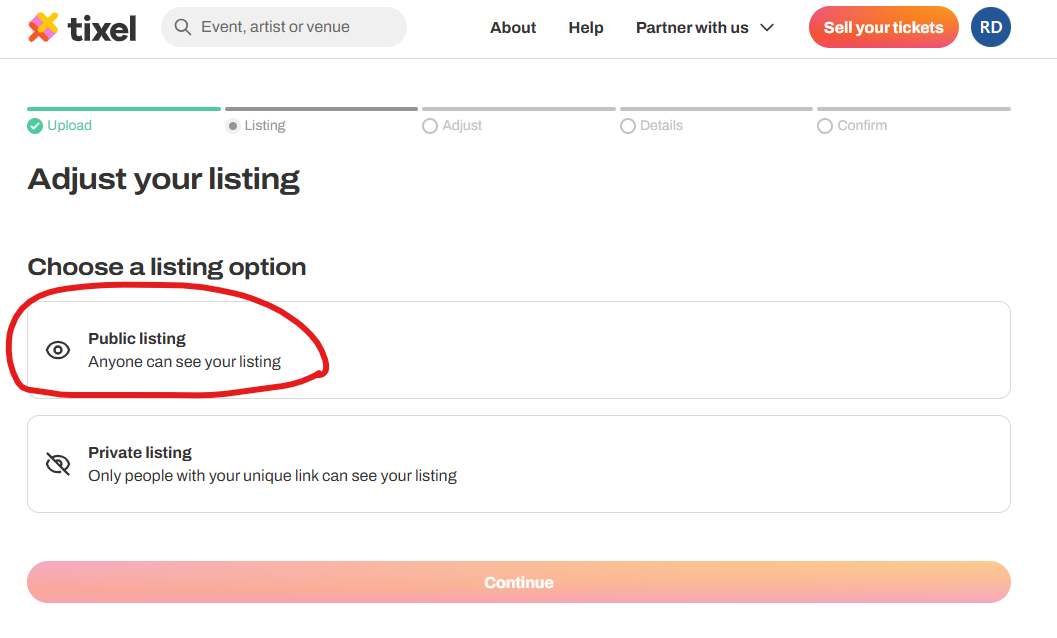
9) Select “Public listing” so that anyone can find it on Tixel.
・。.・゜✭・.・✫・゜・。.・・。.・゜✭・.・✫・゜・。.・
10) Set the Ticket price. You MUST SELECT THE ORIGINAL price of the ticket from Eventbrite (ticket price plus fees) OR enter a price that is LESS than the Eventbrite Ticket Price you paid, if you would like to discount for the Tixel Ticket reissue fee and the Tixel Payment Processing Fee for the Buyer. We DO NOT allow price increases. If a potential Buyer (or FanGrrrl Romance Recs) finds that you have increased the price, we will ban you from future events, as well as remove you from our FB Book Event Group. We take this very seriously! (The example in picture is a TEST ticket price)
・。.・゜✭・.・✫・゜・。.・・。.・゜✭・.・✫・゜・。.・
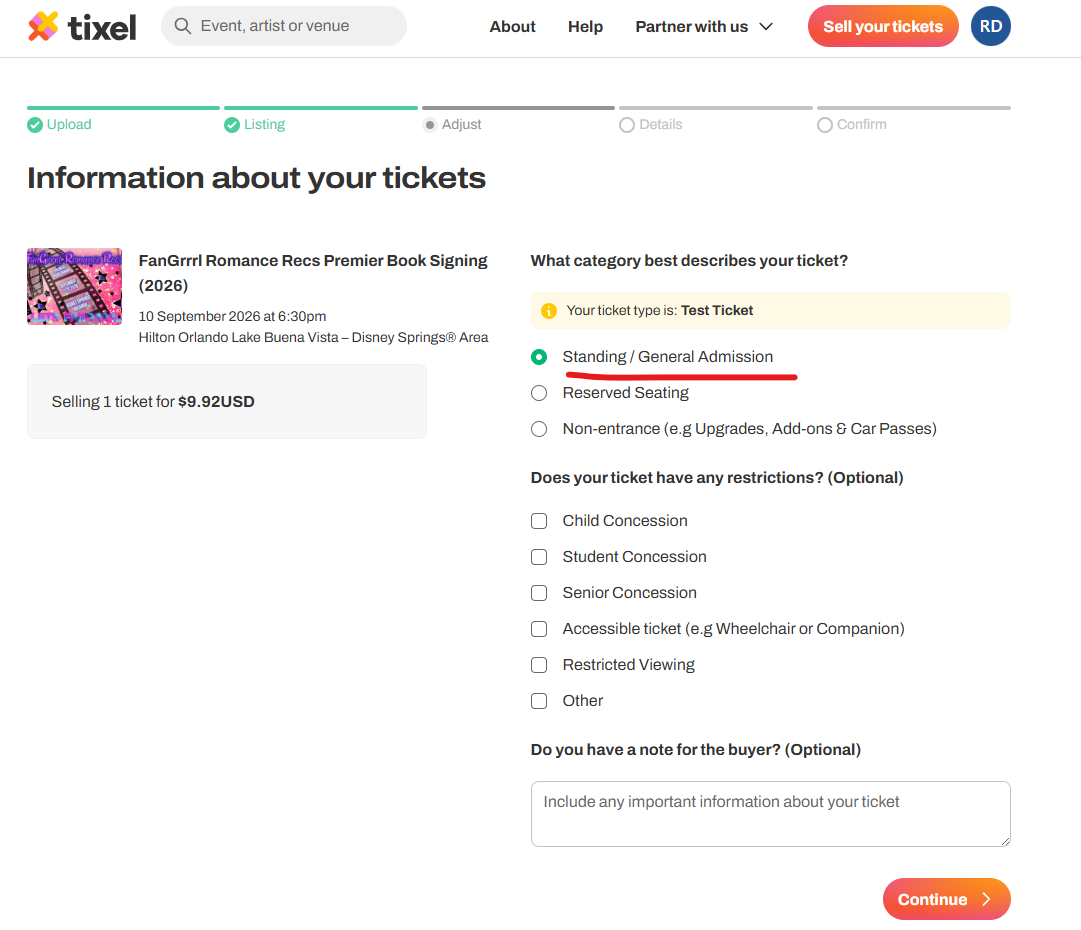
11) Select “Standing / General Admission” as the category for your ticket.
・。.・゜✭・.・✫・゜・。.・・。.・゜✭・.・✫・゜・。.・
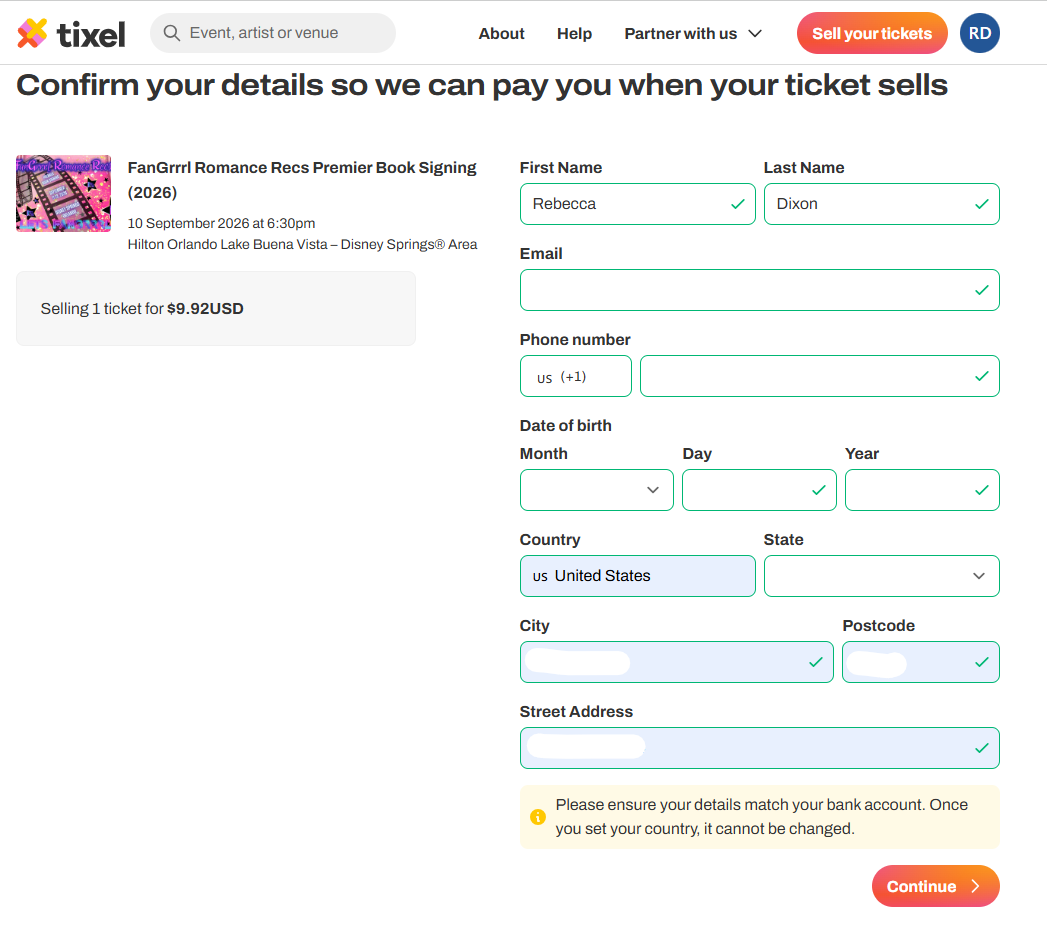
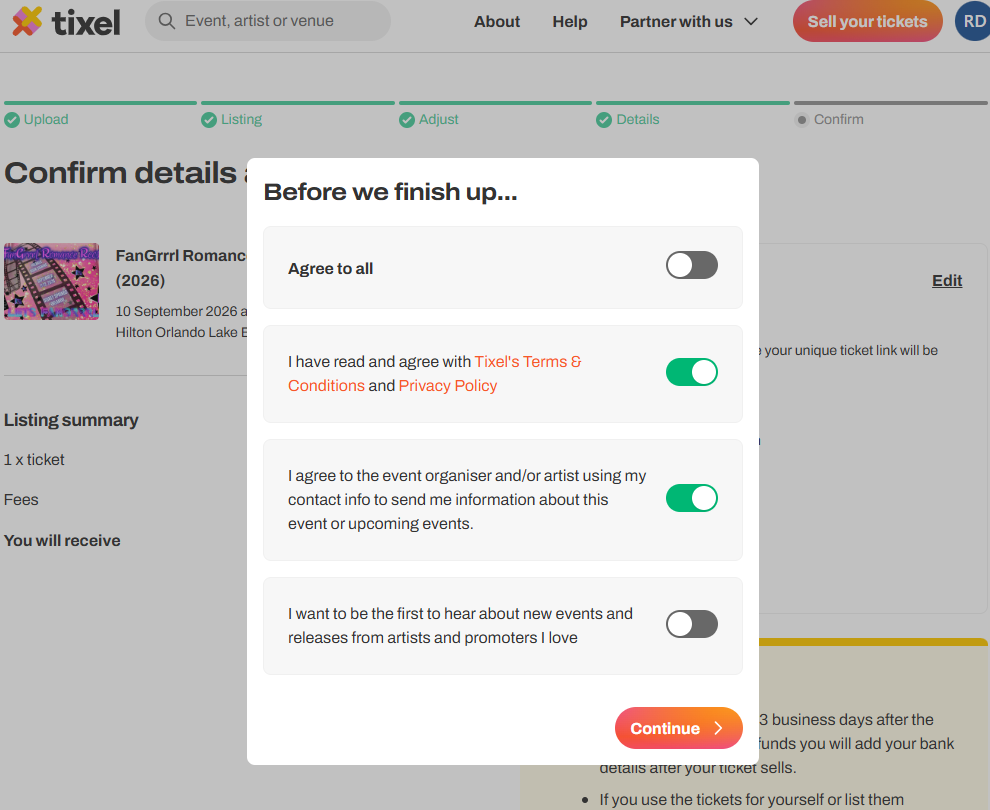
12) Fill in your personal details and agree to Terms & Conditions.
・。.・゜✭・.・✫・゜・。.・・。.・゜✭・.・✫・゜・。.・
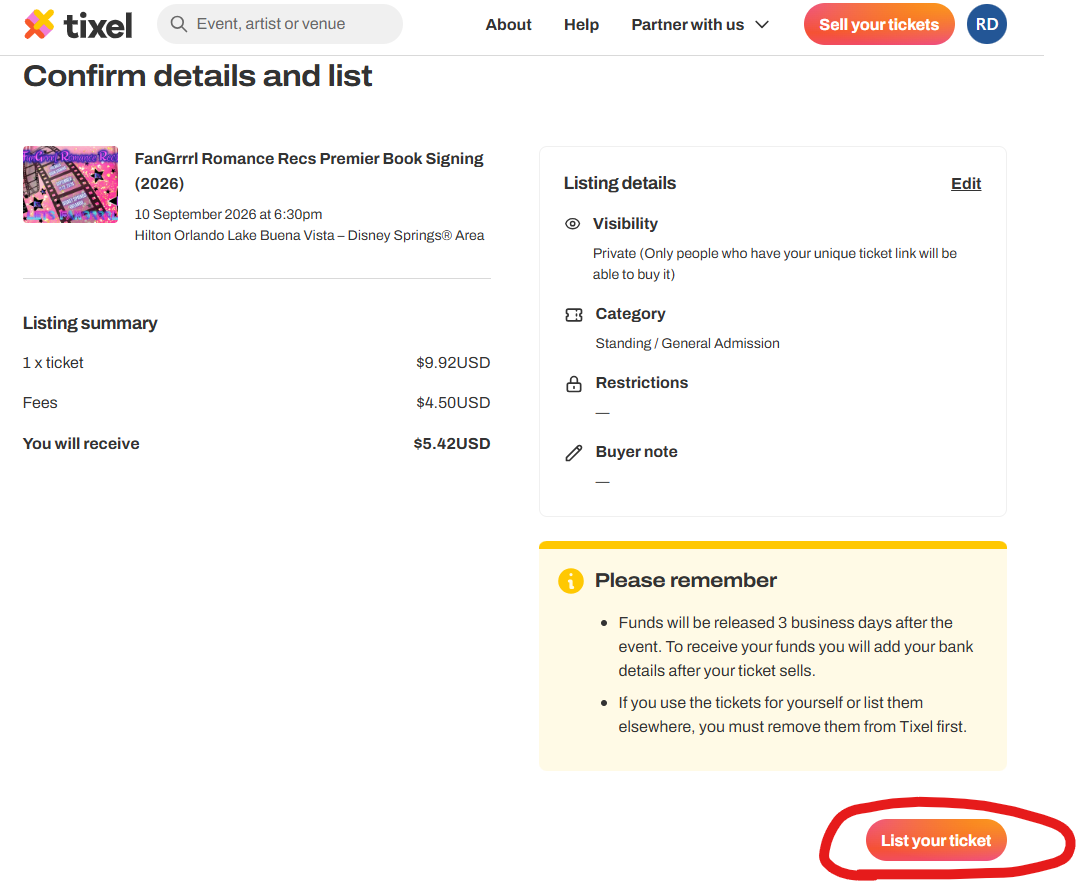
13) Select “List your Ticket“
・。.・゜✭・.・✫・゜・。.・・。.・゜✭・.・✫・゜・。.・
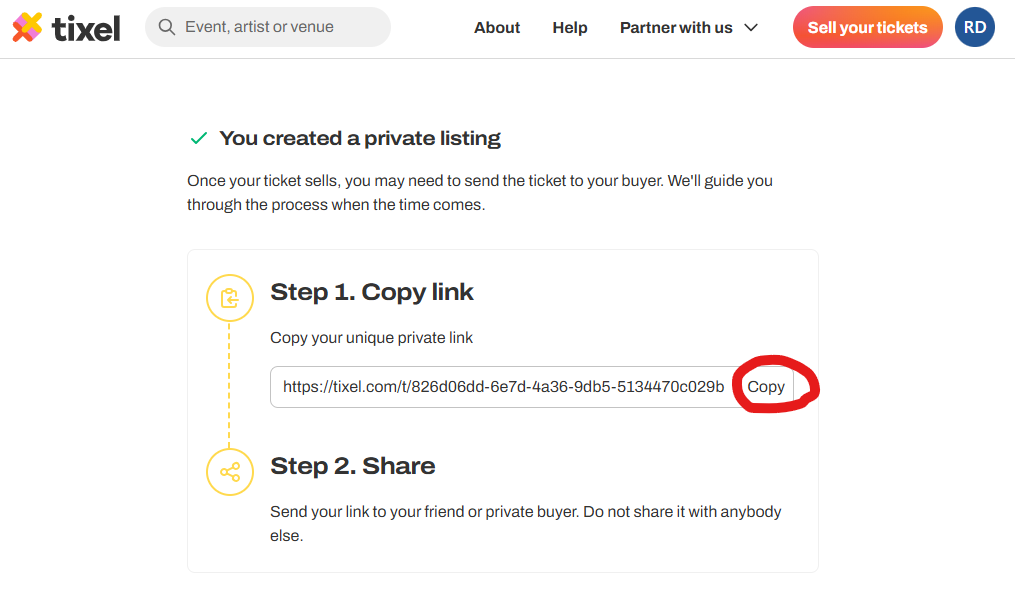
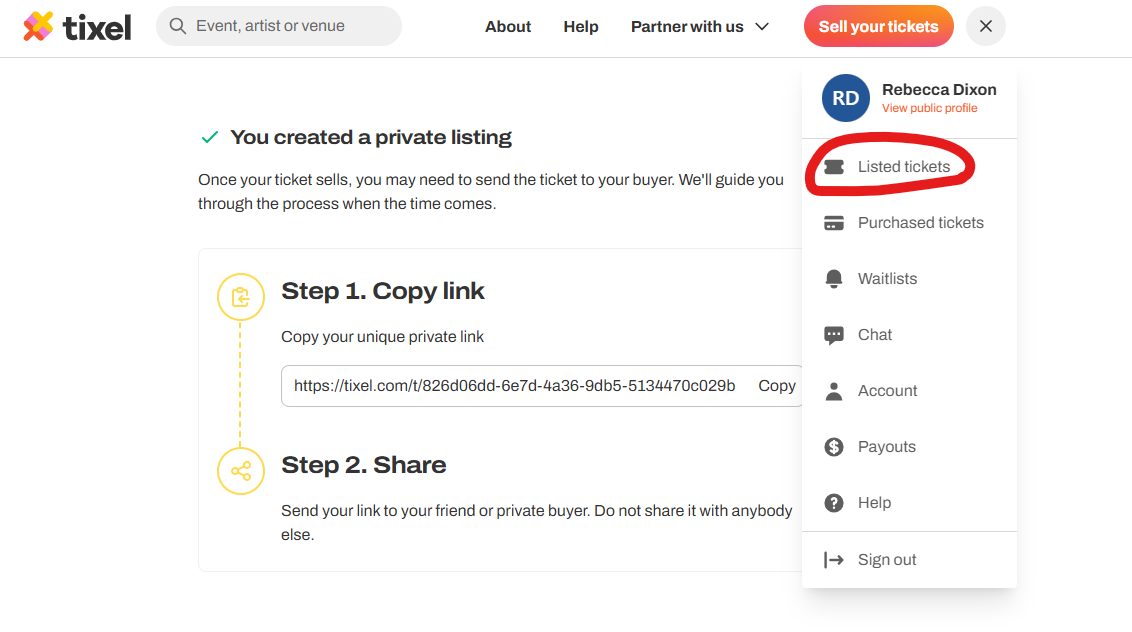
14) Copy your URL link (below should say Public Listing – example screenshot shows Private).
Recommend pasting it to Notepad, OneNote, an Email that you send to yourself, FB Message yourself, or however you want to make sure it is retained and that you can navigate back to it to copy for the Facebook post.
・。.・゜✭・.・✫・゜・。.・・。.・゜✭・.・✫・゜・。.・
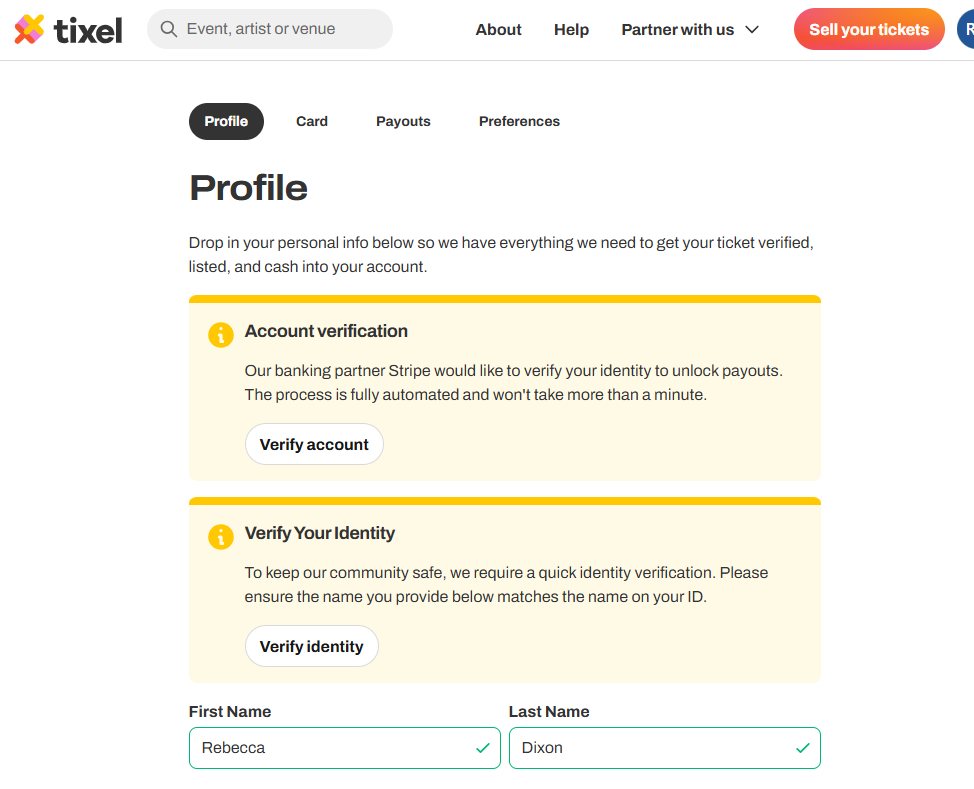
15) If you are new to Tixel, you will need to verify your account and your identity, before the ticket is visible for a potential buyer.
Navigate back to your Profile and select “Listed Tickets“.
・。.・゜✭・.・✫・゜・。.・・。.・゜✭・.・✫・゜・。.・
16) You should now be all set on Tixel! All that is left to do in order to see your ticket is:
Navigate to the Ticket Resell thread pinned to the Featured Section in the FB Book Event Group and comment on the post you have a ticket for resell!
Make sure to Paste the URL Link to your comment, so a potential buyer can navigate directly to your ticket!
・。.・゜✭・.・✫・゜・。.・・。.・゜✭・.・✫・゜・。.・
17) ONCE YOUR TICKET IS SOLD, please return to the Ticket Resell thread pinned to the Featured Section in the FB Book Event Group and DELETE YOUR COMMENT WITH URL. This ensures the thread stays clean for potential buyers and helps ensure other tickets still available are easily viewable!